
On the road
Replied before you arrive
Say what to answer. SeyDit drafts the email, reads it back to you and sends it only on your word. Your hands stay on the wheel and your inbox empties on the way.
Hands
on the wheel
A voice assistant for the moments you can't — or don't want to — type. Just say it and SeyDit sets things in motion.
iPhone + Mac · €19.99 · no subscriptionSay what to answer. SeyDit drafts the email, reads it back to you and sends it only on your word. Your hands stay on the wheel and your inbox empties on the way.
on the wheel

Between chopping, dictate a task, a reply or a note. SeyDit prepares it and holds it for your approval until your hands are free.
not postponed

Say the time right as you agree on it. SeyDit finds the slot, creates the event and sends the invite the moment you confirm it.
without typing
Say what you need.
SeyDit understands the intent and the context.
It prepares the task, the draft or the next step.
You decide what actually happens.
Anything that sends or changes something is always yours to review first.
Start with your voice on iPhone. When you get to your Mac, you pick up exactly where you left off — no hunting for recordings, no explaining from scratch.

Start with your voice and capture the thing you need to get done.

Finish it at your computer. Carry on where you left off.
SeyDit on iPhone works on its own — no Mac needed. Use your voice to create events and reminders, reply to email, work with notes, the weather or up-to-date information from the web.
The desktop app is a companion for the work that lives on your computer. It lets you use your voice to work with files, Apple Mail, Calendar, Reminders, your own apps, Codex or Claude Code.
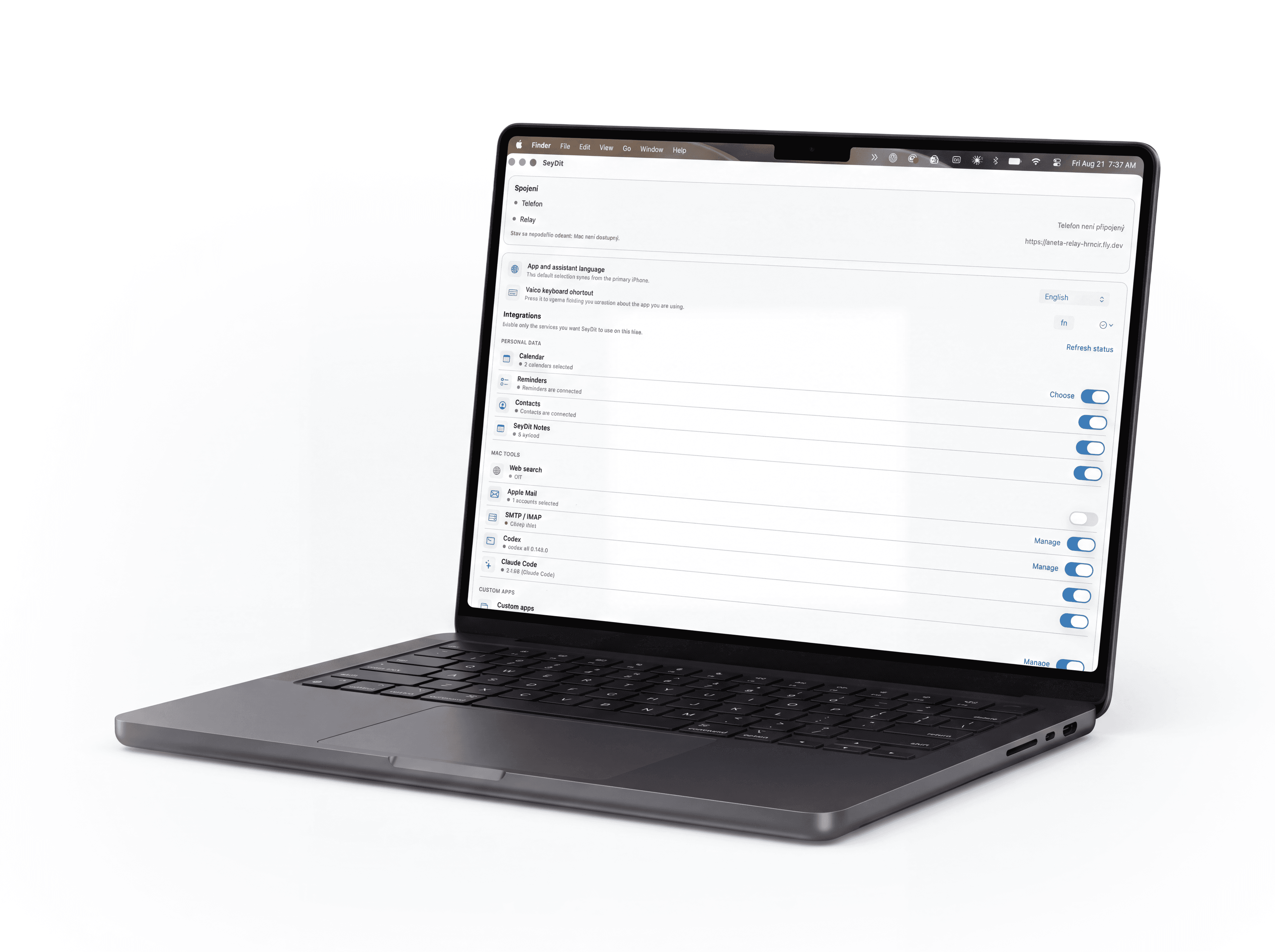
Yes. After the first secure pairing, SeyDit on the Mac can take voice requests even when the iPhone isn't around. The iPhone stays the main device for activation, account setup and securely linking the Mac.
Yes. The desktop app isn't needed to use SeyDit on iPhone. When the Mac isn't on or connected, the computer-only options simply don't appear and everything else carries on unchanged.
When both devices are available, SeyDit securely passes settings, notes and the context of work in progress between them. You can start a request on your iPhone and continue on your Mac.
Start on your iPhone. Add the Mac whenever you like.
No opening apps, no filling in forms. Use your voice to create an event, set a reminder or answer an email.
SeyDit understands the whole request, including time, place and context. From “Remind me when I get home” it creates the right reminder straight away.
Start on your phone and continue on your computer with the context intact. SeyDit works on iPhone on its own, and a connected Mac extends what it can do.
SeyDit can pass a task to Codex or Claude Code by voice, work with files and use connected tools. You run your computer by simply saying what you want.
Ask about the weather, the traffic or what's happening right now. SeyDit looks up what it needs and puts it straight into your plans.
Every connection can be switched on and off separately. Sensitive actions are confirmed before they run, and communication between iPhone and Mac is end-to-end encrypted.
SeyDit uses your own OpenAI API key. That keeps both your account and your AI usage costs in your hands.
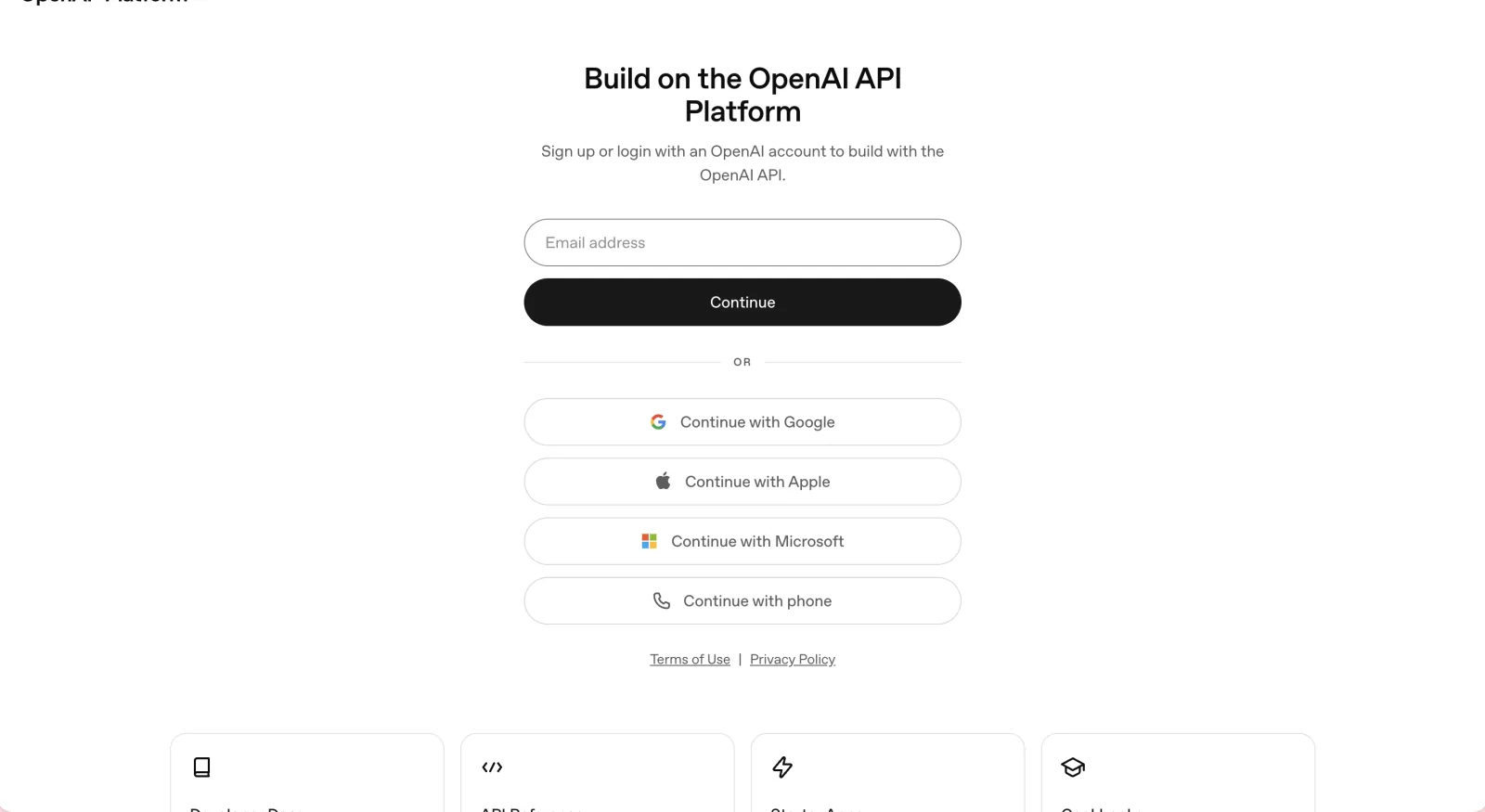
Sign in to OpenAI or create an account.
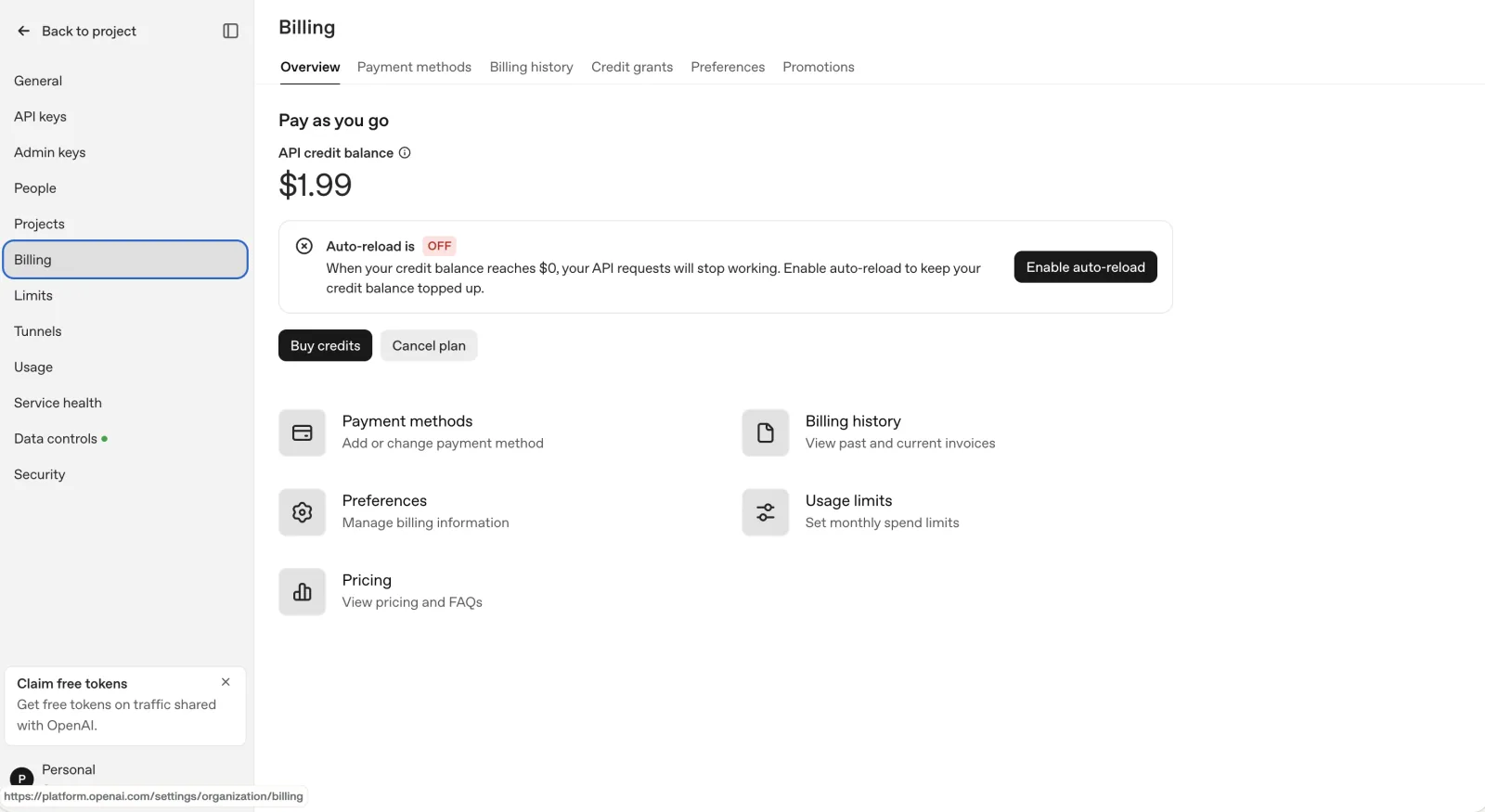
Open Billing in your OpenAI account.
Never share your API key. SeyDit only needs it for your own AI requests.

€19.99
one-time / lifetime
AI usage costs AI usage costs aren't part of the app price. You pay them directly to OpenAI through your own API account. How much depends on how often you use SeyDit.
Anything that sends or changes something is yours to review and confirm first.
You see what SeyDit is working on for you, across iPhone and Mac.
Work in progress and captured notes can be edited or removed at any time.
SeyDit securely syncs settings, notes and the context of work in progress between your devices. You can start a conversation on your iPhone and continue on your Mac without any intermediary seeing what is passed along.
Communication between iPhone and Mac is end-to-end encrypted and sensitive details are stored in the system Keychain. You decide which services SeyDit can reach, and important actions are confirmed before they run.
No. SeyDit is a one-time purchase. There is no monthly or yearly subscription for the app.
SeyDit costs €19.99 as a one-time, lifetime payment for access to the app.
SeyDit uses your own OpenAI account and API key for its AI features. That gives you direct control over both usage and cost.
API costs follow OpenAI's current pricing and depend on how often and how you use SeyDit.
OpenAI's current pricingYes. SeyDit is a voice assistant for iPhone with a companion app for the Mac.
Yes — that is the whole idea behind SeyDit. Capture it on your iPhone and finish it on your Mac.
A new iPhone or Mac needs to be securely paired with SeyDit again. Encryption keys and sensitive data are never passed through an intermediary server, so access to locally stored data also depends on Apple's backup and device transfer.
Email us at info@hrncirovistudio.cz. Include the app version, device model, and a short description of the issue. Never send your OpenAI API key or passwords.
Say what you need. SeyDit helps you set it in motion.
Necessary technologies keep the site working. Analytics (Vercel Analytics and Google Analytics) run only with your consent. Cookies Policy